


Save to TheLysts From Anywhere
TheLysts is now a share target on both iOS and Android. Anything your phone can share, it can share into TheLysts: a restaurant link a friend sent you, a screenshot of a recommendation you scrolled past, a PDF of a wine list, a photo of a menu, a page from your browser.
Tap Share, pick TheLysts, and the content is handed straight to the app. There is no copying, no switching windows, and no retyping the thing you already have on screen.
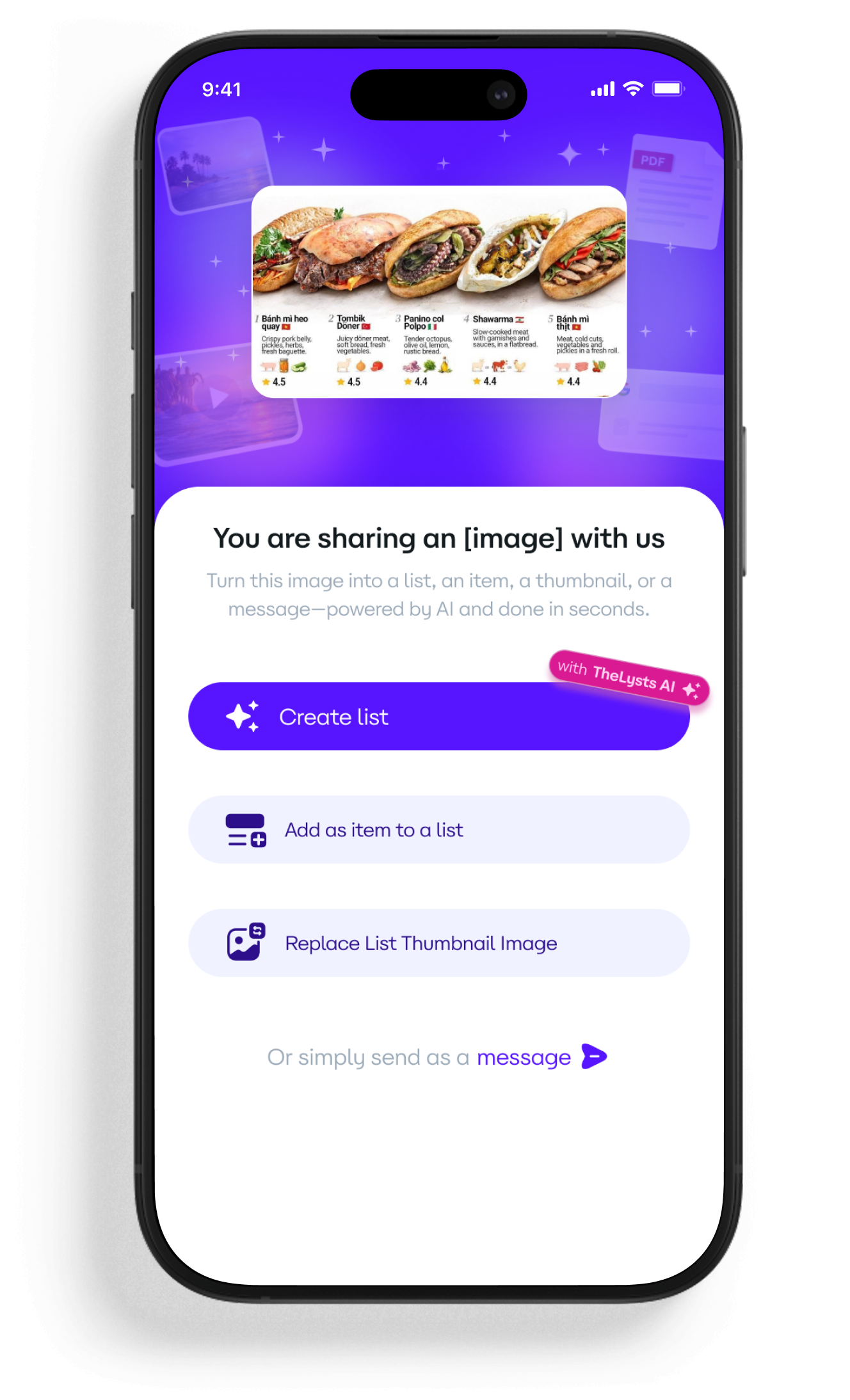
What Happens After You Share?
Sharing does not commit you to anything. TheLysts asks what you want done with the content, and offers four routes:
1. Create a List (AI-Powered)
AI reads what you shared and builds a whole list from it: a title, the right columns for that kind of list, and the items it can identify — each one filled in with the detail it could find. A screenshot of ten restaurants becomes a ten-item list with names, addresses and ratings, not a picture you will have to transcribe later.
2. Add as an Item
If the list already exists, the shared content is appended to it as a single item. Pick the destination list and TheLysts fills in the columns that list already uses, so nothing you have built gets inconsistent.
3. Replace a List Cover
Shared an image? Use it as the cover of any list. Useful when you find the photo that captures a trip or a collection better than the one you started with.
4. Send as a Message
Push the content straight into a TheLysts chat instead of a list. The conversation stays where the list lives, so a recommendation does not get stranded in a different app.
Why This Feature Is a Category Shift
Most list apps assume you arrive with your content already in hand and a spare ten minutes to type it in. That assumption is what kills lists — the intent shows up while you are somewhere else, and by the time you open the app it has gone.
AI Import removes the gap between finding something and saving it properly. The list is no longer a thing you sit down to make; it is a thing that accumulates as you go. And because AI structures the import rather than dumping raw text, what accumulates is an organised list rather than a pile of screenshots.
The best list is the one that got made. AI Import exists so that capturing something costs two taps instead of ten minutes.
Built for Speed, Controlled by You
AI proposes; you decide. Every import lands as a draft you can review before it is saved: rename the list, drop items you did not want, correct a column the AI guessed wrong, or add the note that made the thing worth saving in the first place.
- Nothing is published automatically — imports are private until you say otherwise.
- Columns the AI suggests can be renamed, reordered or removed.
- Items you delete before saving are never stored.
- You can always start from a blank list and skip AI entirely.
Example Use Cases
- A friend sends five restaurant links in a chat — share each one into the same list and arrive in the city with a map instead of a scroll-back.
- You screenshot a “best books of the year” article — share it and get a reading list with authors and years already filled in.
- A PDF wine list from a tasting becomes a searchable list of what you liked, with your own scores added afterwards.
- A conference agenda becomes a list of talks, split by day, shared with the people you are going with.
- A photo of a museum wall label starts a list of works to look up later.
Strategic Impact
AI Import moves TheLysts from a destination to a layer. You no longer have to think of the app to use it — you think of the thing worth keeping, and the app is already in the menu in front of you.
For creators, that changes the economics of curation. The expensive part of publishing a good list has always been the data entry, not the taste. Take that cost out and the lists people have been meaning to make for years become an afternoon's work — and, for the ones worth paying for, a product.
Frequently Asked Questions
Which app versions include AI Import?
AI Import ships in version 1.4 on both iOS and Android. Update to 1.4 or later and TheLysts appears in your share menu automatically.
What can I share into TheLysts?
Links, screenshots and photos, PDFs, and plain text. Anything your operating system can put in the share sheet can be handed to TheLysts.
Does AI Import cost extra?
No. AI Import is part of the free app — there is no separate AI add-on to buy.
Can I edit what the AI creates?
Yes. Every import is a draft first. Rename the list, edit or delete items, and change any column the AI guessed before you save.
Are my imports public?
No. Imports are private by default. A list only becomes visible to anyone else when you choose to share or publish it.
What if the AI gets something wrong?
Correct it in the draft — every field is editable. Fixes you make are kept when you save, and nothing is published until you are happy with it.
Does it work offline?
Building a list from shared content needs a connection, because the AI runs server-side. Lists you have already saved stay readable offline.
Now Live in Version 1.4
AI Import is available today for everyone on iOS and Android. Update to version 1.4, open any app you save things from, and TheLysts will be waiting in the share sheet.

